Prepare a bid package
Use one bid workspace to prepare the response the buyer requested. Writing, tasks, questions and pricing can run in parallel; the buyer’s deadlines determine when each must be finished.
Read the video transcript
Open a bid from Prepare bids. The overview brings together its next step, deadlines, people and readiness. Source confirmation, completed work and submission clearance are different checks. Start with Checklist and the original buyer documents. Confirm what is required, who will do the work and where the response will address it. Recheck the plan when an amendment changes the notice. In Write, the AI has prepared sections from the notice and company records. We label a demo edit, save it and reload. Missing facts still need your input. Saved text is not approval; review every section. Complete the price sheet and required forms, then open Final check. Resolve every blocker and review the exact package before signing or handing it off. Exporting is not submission; keep the buyer portal receipt as proof.
Before you start
Section titled “Before you start”Start a bid from a shortlisted opportunity, or open an active bid from Bids. Confirm the company, notice and deadline. Use a desktop for drafting; phones remain useful for reading and review.
Step by step
Section titled “Step by step”-
Understand the current requirements
Open the bid from Bids. In Bid overview, confirm the buyer, deadline and next action. Read the latest notice and attachments in Files. Open Checklist, inspect each requirement and its source, and identify the company evidence or response it needs. A source quote being verified is not proof that the requirement is fulfilled.
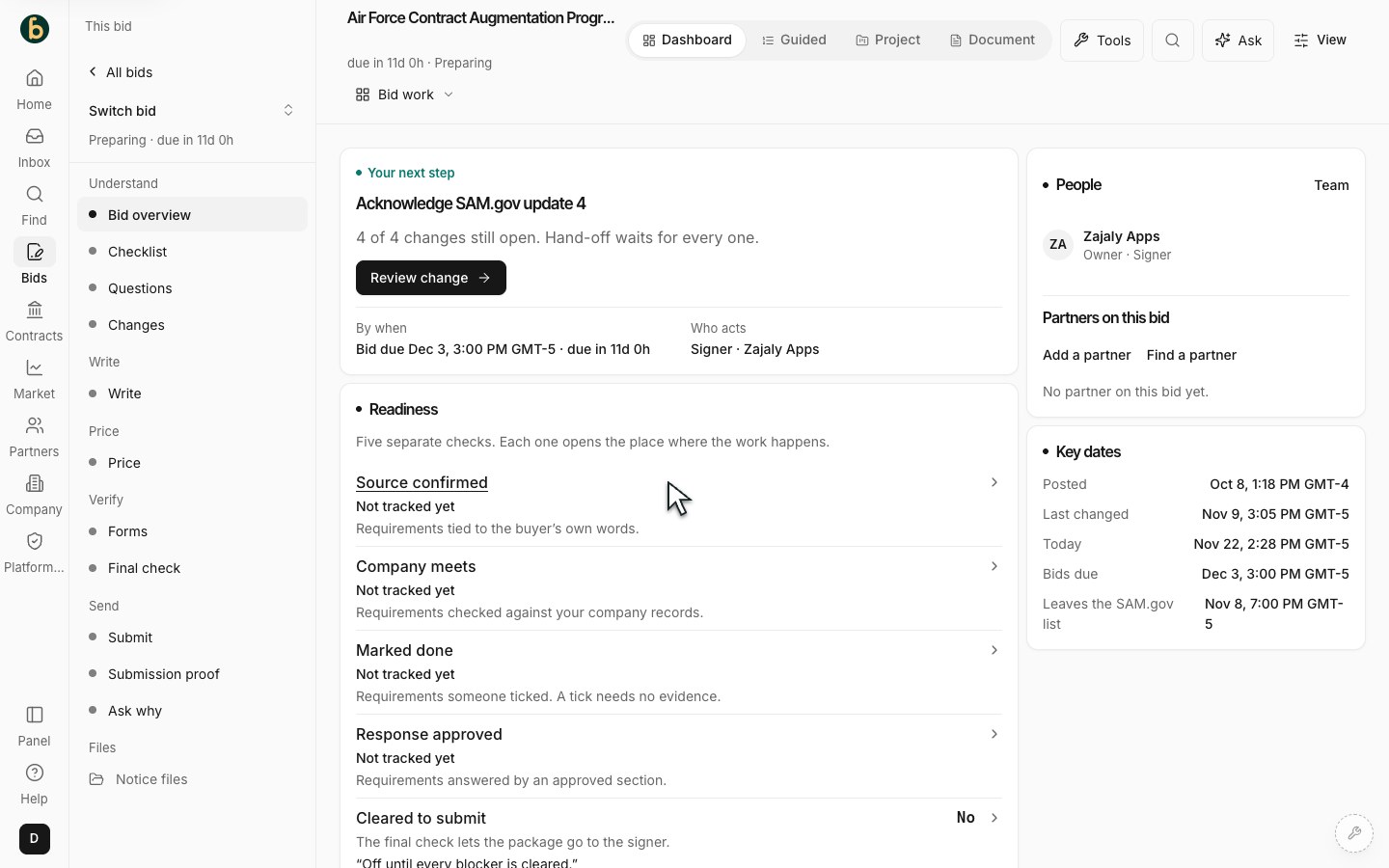
The bid overview keeps the selected bid and its current work in context. -
Draft and review the response
Open Write, choose the document or volume and then the section you need. Select relevant sources before using Read files and draft or another available AI action. Check every claim, number and citation. Review proposed rewrites and accept, edit or reject them deliberately. Save and reopen a section to check the version. Use your Library for company evidence and reusable material; use only templates or approved answers appropriate to this notice. Assign related work through Tasks where available.
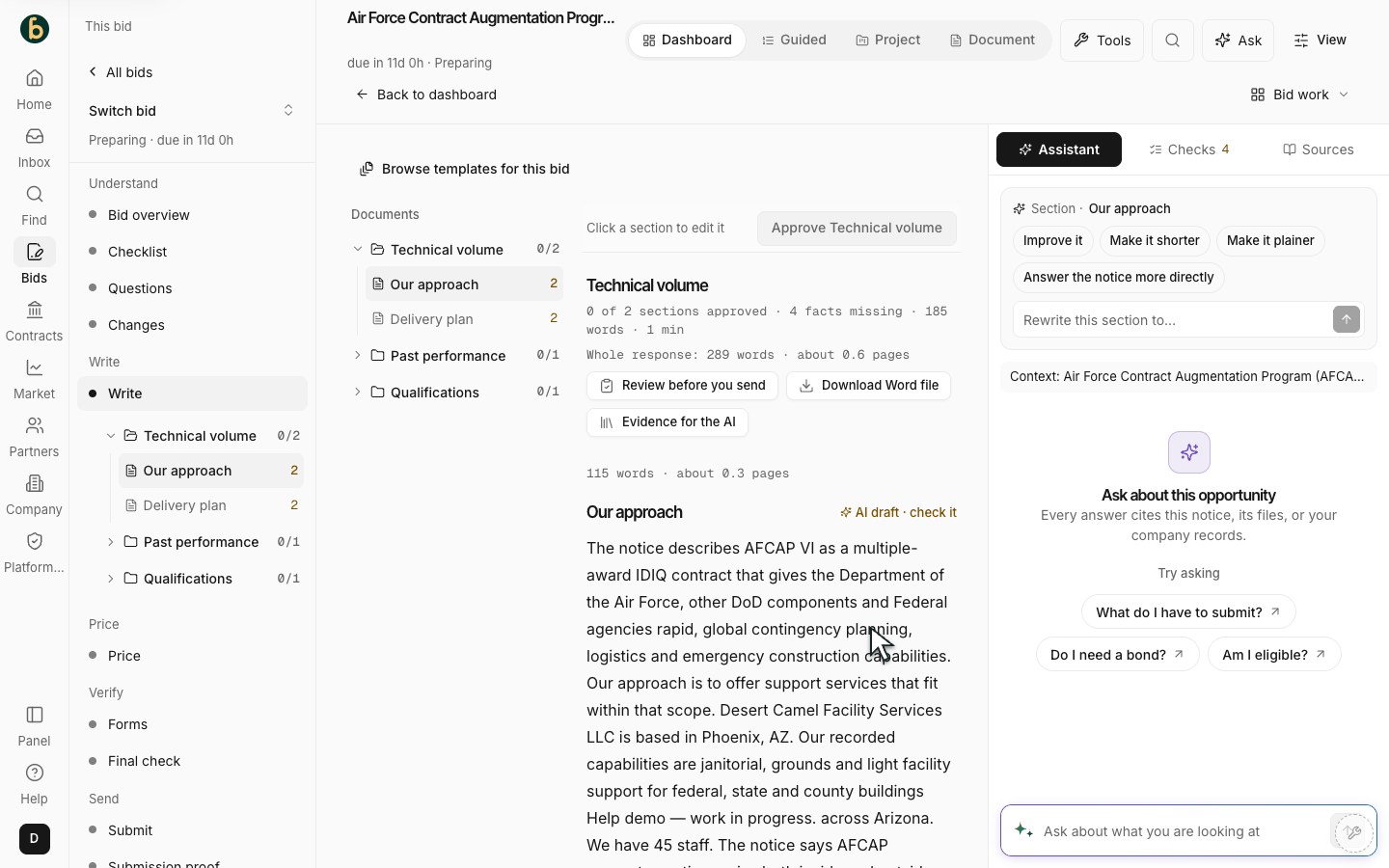
Write keeps authored response work separate from buyer source documents. -
Complete pricing and forms
Use Price to fill the buyer’s requested lines, quantities and unit prices. Review totals, assumptions and any amendment-related changes. Research about other companies’ awards is context, not your own past performance. In Forms, supply the required documents and evidence. Have the appropriate contributor or reviewer check their part.
-
Resolve questions and amendments
Use Questions whenever a clarification is needed, before the buyer’s questions cutoff. Review a drafted question, send it yourself by the permitted channel, then Mark sent and record the buyer’s answer. Review Changes when an amendment arrives. Recheck affected requirements, drafts, prices and approvals instead of assuming completed work is still current.
-
Check, submit and keep proof
Open Final check and resolve each blocker. An authorized Signer completes the required attestation. Continue to Submit and follow the buyer-specific submission guide. Review the exported package and send it yourself through the stated channel. After the buyer confirms receipt, open Proof of submission and keep the actual receipt with the bid. A download, progress percentage or hand-off record is not a buyer’s receipt.
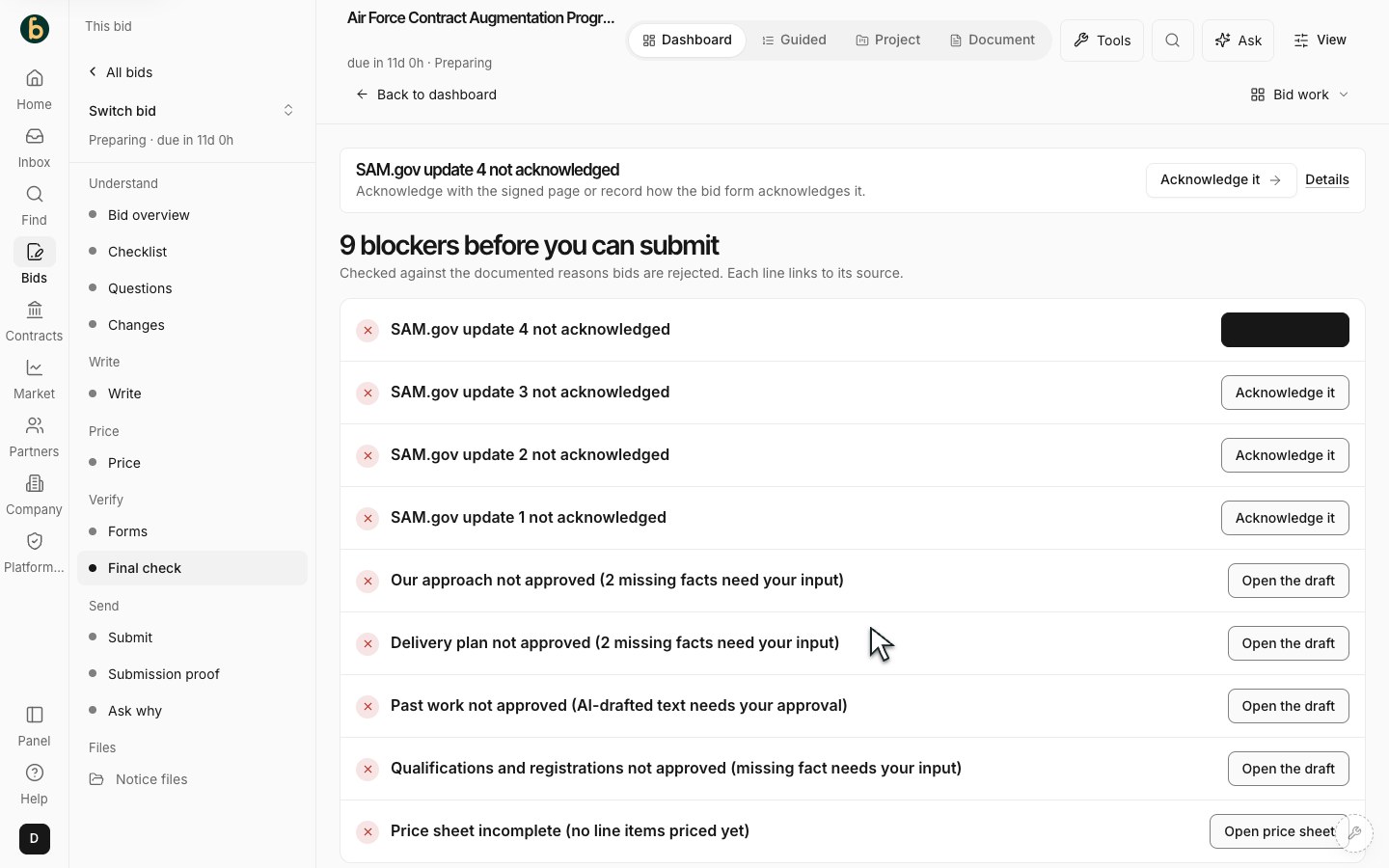
Review the actual blocking checks before handing off the package.
What should be ready
Section titled “What should be ready”Your response, price and forms are reviewed against the current sources. Submission is complete only after you have sent it through the buyer’s channel and retained genuine confirmation.
If something does not work
Section titled “If something does not work”A review or submission action is disabled
Section titled “A review or submission action is disabled”Read the reason shown. Missing facts, unapproved sections, changed sources or your role may block the action. An Owner or Admin can review who has Signer authority.
AI has invented or omitted a fact
Section titled “AI has invented or omitted a fact”Reject or edit the proposal, add the missing source and check the result again. Do not approve an unsupported statement.
A deadline or source changed
Section titled “A deadline or source changed”Review the amendment and affected work. Keep the official notice and buyer instructions authoritative. Readiness is a set of checks, not a promise of compliance or award.
Next step
Section titled “Next step”Return to the bid’s next action. After a real submission, keep its proof and track the outcome; contract delivery is a separate job.