Find a grant and continue to the application
BidCamel helps you find and review grants. The application itself is completed through Grants.gov or the process named by the awarding agency.
Read the video transcript
Open Find, then Grants. Browse open opportunities and use the title search to narrow the list. Grants are a separate type of funding from procurement contracts. Search for a relevant program, then open a grant to review the agency, purpose, funding and closing date. Check the original source because eligibility and dates can change. Read Who can apply and the program requirements. Being listed as a small business does not by itself establish that your company or proposed project is eligible. Apply on Grants.gov opens the official application destination. BidCamel helps you discover and assess the opportunity; it does not complete or submit the grant application for you.
Before you start
Section titled “Before you start”Sign in to BidCamel and know which organization will apply. A grant for a nonprofit, individual or public body may not be open to your business.
Step by step
Section titled “Step by step”-
Open Grants
Open Find → Grants, or open Grants directly. Search the grant titles. Use the Open now or Forecast view to distinguish current opportunities from expected future ones.
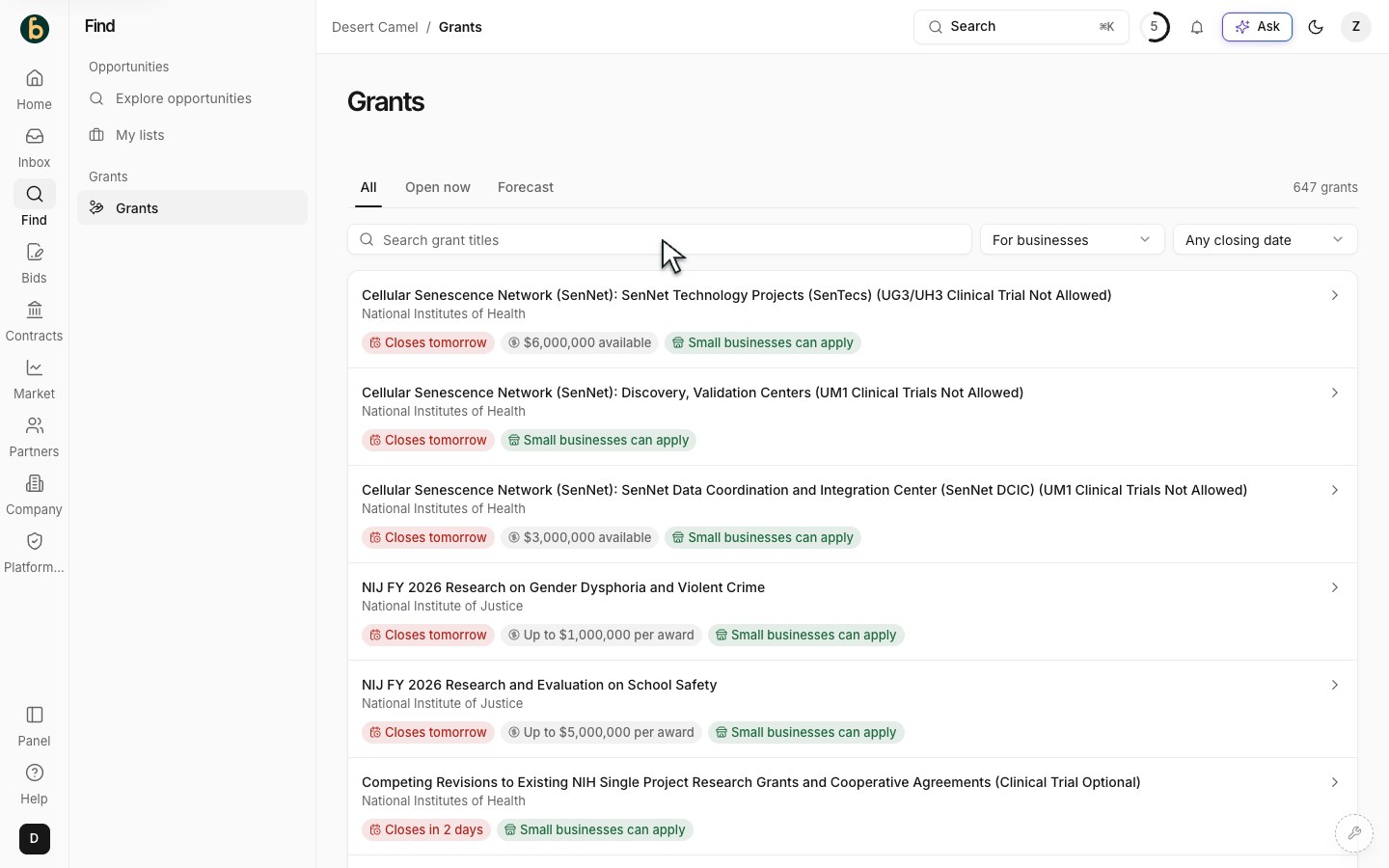
The Grants list provides search and stage views. -
Check who can apply and when
Use Who can apply and Closing to narrow the list. Open a grant and read its eligibility, agency, deadline, funding range and any cost-sharing requirement. A business-oriented filter helps narrow the list; the official opportunity decides eligibility.
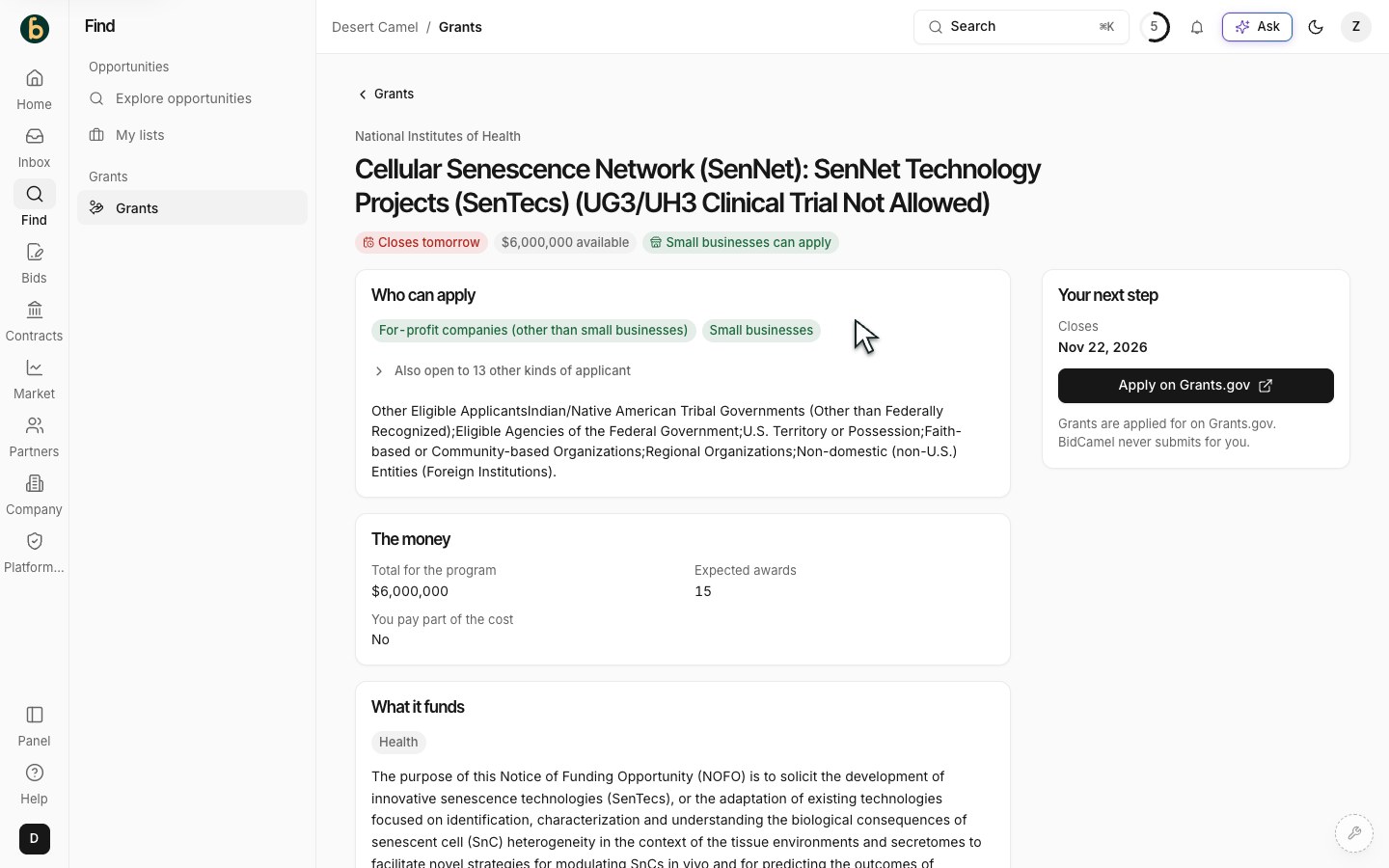
A grant detail page shows eligibility, funding and dates. -
Read the complete official opportunity
Check the opportunity number and full instructions. If the description is shortened, use the official link for the complete text, required documents and latest updates. A forecast is not open for submission yet; follow its official updates.
-
Continue on Grants.gov
For an open opportunity, choose Apply on Grants.gov. For a forecast, use Follow it on Grants.gov. The next page is outside BidCamel. For an organizational application, check the organization’s SAM.gov registration/UEI, Grants.gov applicant profile and submitting authority. Follow the official applicant registration guide rather than creating duplicate registrations.
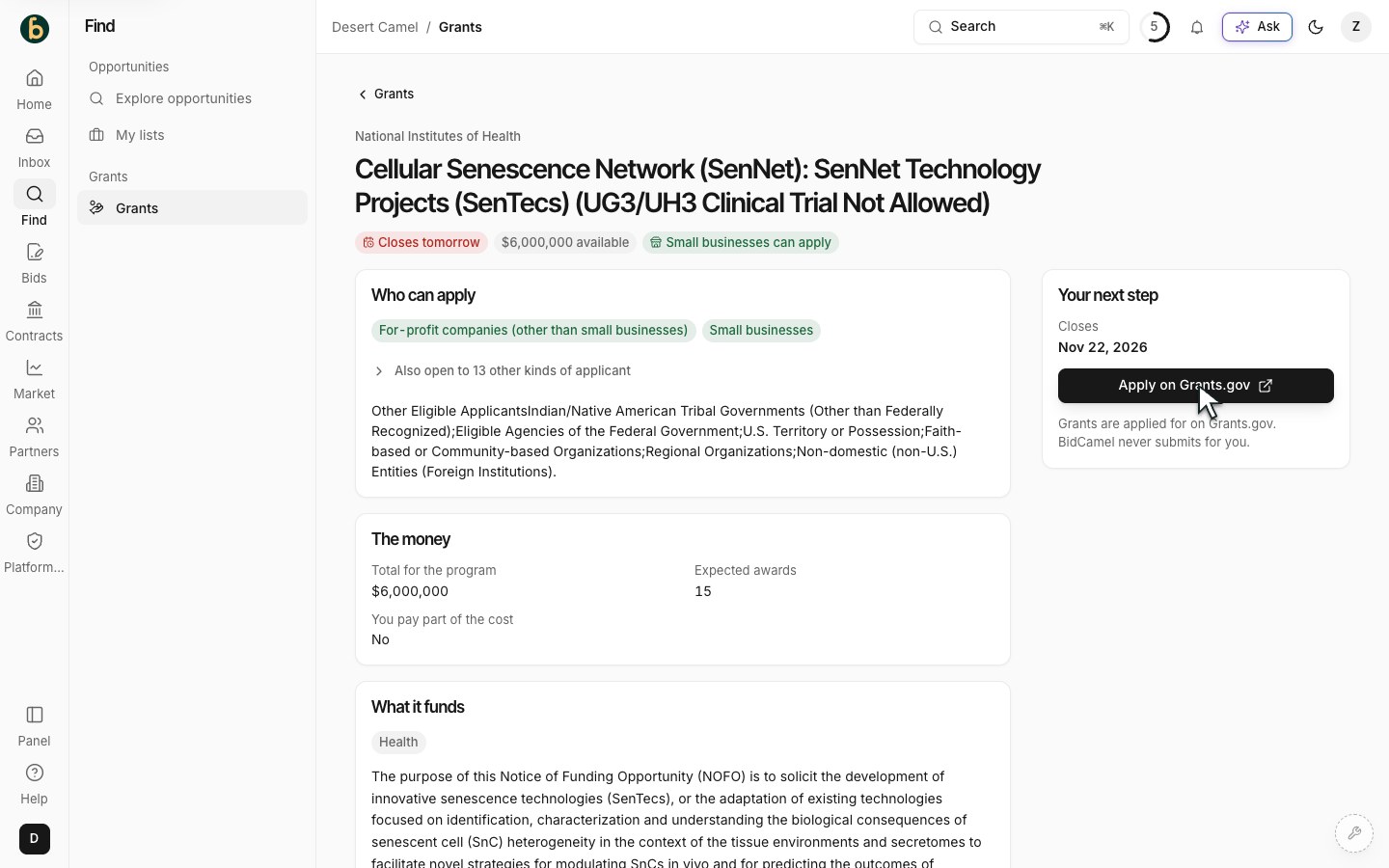
Use Apply on Grants.gov to continue to the official application process. -
Complete the official process and keep confirmation
Follow the opportunity’s application instructions and complete the required forms and attachments in the official system. Have the authorized person review and submit. Keep its tracking number and confirmation, and check the application status there. BidCamel does not submit or certify the application for you.
What should be ready
Section titled “What should be ready”You have identified an eligible opportunity and continued to its official application process. A real application is submitted and tracked in that official system, not merely by opening its link.
If something does not work
Section titled “If something does not work”No grants match
Section titled “No grants match”Use fewer search words, broaden Who can apply or remove the closing filter. Confirm eligibility again when you open a result.
The application link or deadline looks different
Section titled “The application link or deadline looks different”Use the opportunity number to confirm you opened the right record. The agency’s current official instructions control.
I cannot submit on Grants.gov
Section titled “I cannot submit on Grants.gov”Check registrations and the submitting role with your organization’s administrator. A BidCamel account does not create a Grants.gov account or authority.
Next step
Section titled “Next step”Continue in the official application workspace. For contracting opportunities instead, search notices.